


Features
-
Chat Controls Improvements
Updated the chat experience to give customers more control over conversations, both in automated scenarios and in chats with agents.- Clear Chat for Scenarios
Users can now clear the current conversation in scenario mode and restart it from the beginning without affecting existing tickets or agent chats.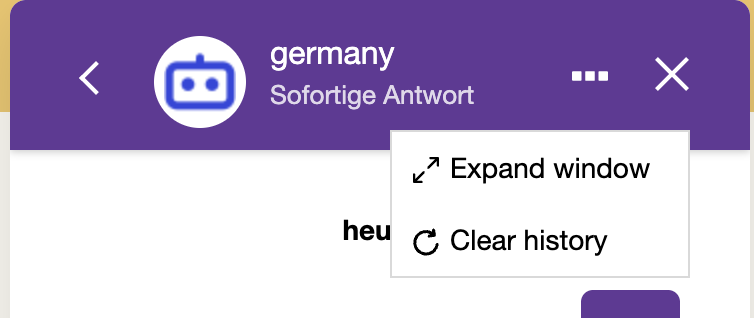
- End Chat for Agent Conversations
Users can now explicitly end chats with agents. After ending a chat, the ticket is marked as completed, replies are locked, and the conversation becomes read-only with an option to start a new chat.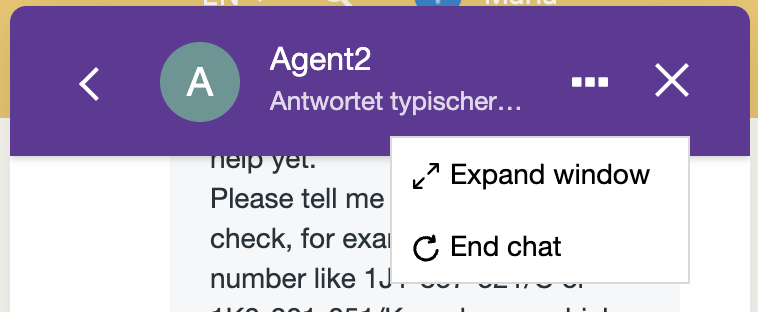
- End Chat Button Setting
Added a new setting in Chat Settings that allows administrators to control whether the End Chat button is visible to users.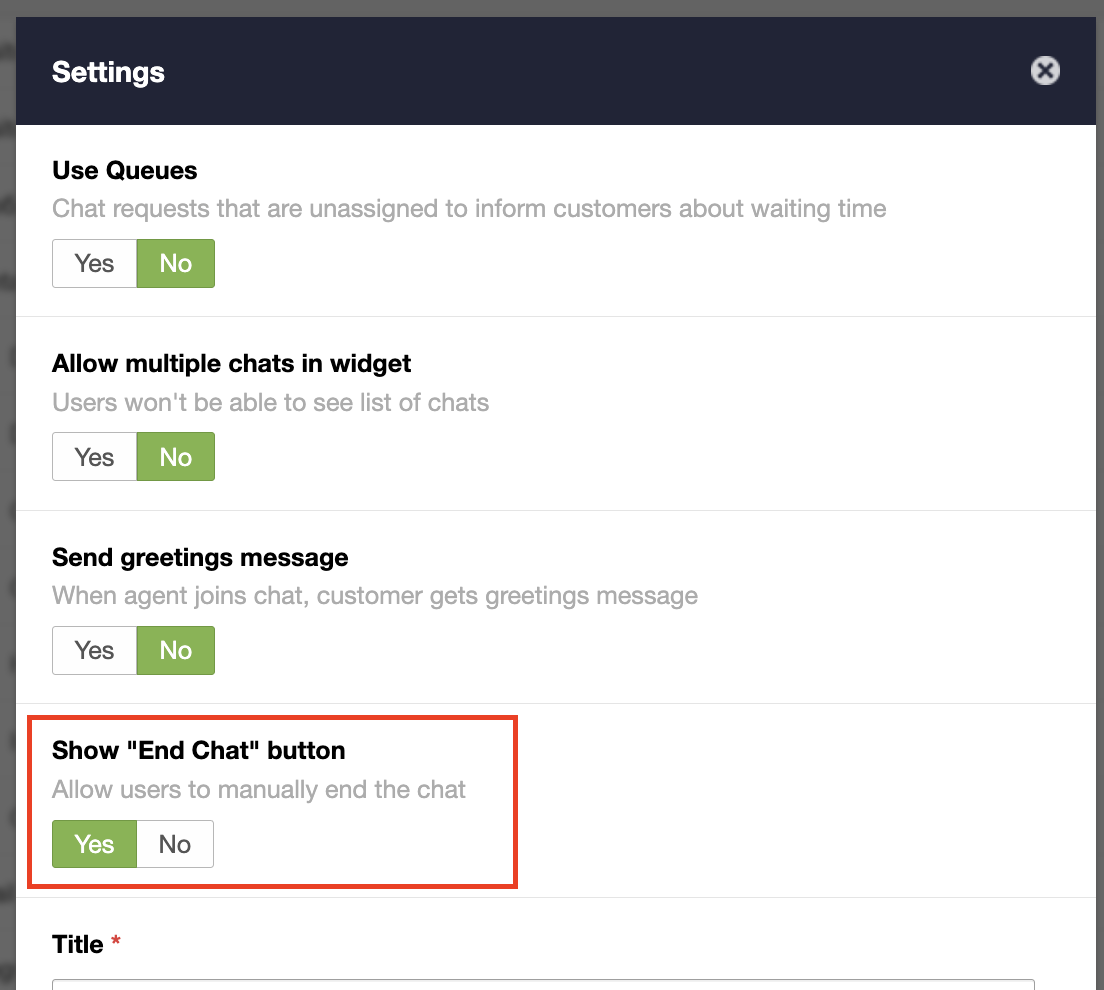
- Clear Chat for Scenarios
-
Automatic Chat Cleanup After Inactivity
Chat data stored in the browser is now automatically cleared after 30 days of inactivity, preventing outdated conversation states from affecting new sessions. -
Analytics Improvements
Updated Analytics to make reporting clearer, more consistent, and aligned with standard helpdesk metrics.- Standard Reply Time Metrics
Introduced First Reply Time (Time from object creation to the first public agent reply) and Average Reply Time (Average time between a customer message and the next public agent reply) to measure how quickly agents respond to customers. - Assignment-Based Metrics as Separate Metrics
Now we have:
- Assignment to First Reply - Time from assigning an agent to the object until that agent’s first public reply.
- Average Assignment to Reply - Average time it takes the assigned agent to respond after assignment. - Unified Replies Metric
Replaced multiple overlapping reply metrics with a single Replies metric for simpler and more consistent reporting. - Rebuilt Business Hours Report
The Business Hours report has been redesigned to Working Hours report to calculate actual agent online time and now includes improved filters, drill-down view, and export options.
- Standard Reply Time Metrics
Improvements
- Analytics Filters Improvements
- Business Hours Logic for Resolution Metrics
Updated how First Resolution Time and Full Resolution Time are calculated to better reflect actual agent availability. - Remove “Users Voted” Metric from Analytics
Removed outdated metric to simplify reporting and reduce confusion. - Add “ID” Column to Analytics Export
Analytics exports now include object ID for easier data analysis and integration. - Chat List Preview Improvements
Improved how chats are displayed in the list, including message type and sender context. - Portal Link Handling Improvements
Improved how links are processed and displayed in the portal, including better handling of email links. - Subgroup Interaction Improvements
Improved visibility and interaction feedback for subgroup navigation.
Bugs
- Fixed ticket duplication when tickets are created via email.
- Fixed agents receiving notifications for internal notes in restricted communities.
- Fixed incorrect ticket counters in grouped reports.
- Fixed an issue where draft replies were saved instead of sending messages.
- Fixed filter button not working in the mobile version.
- Fixed incorrect or missing data in analytics reports and exports.
- Fixed invalid configurations in analytics filters.
- Fixed UI issues where elements overlapped in the reply interface.
- Fixed incorrect default text in the chat widget connection state.
- Fixed encoding and localization issues.
- Fixed issues with the Clean Logs feature.
- Fixed issues with variables in templates and triggers.
- Fixed general issues affecting chat, notifications, and UI consistency.