


The AI Usage page gives administrators an overview of AI consumption across their account. You can monitor token usage, identify which features consume the most tokens, review historical usage, and check your current plan and token limits.
Admins can access AI Usage via Administration panel.
Metrics
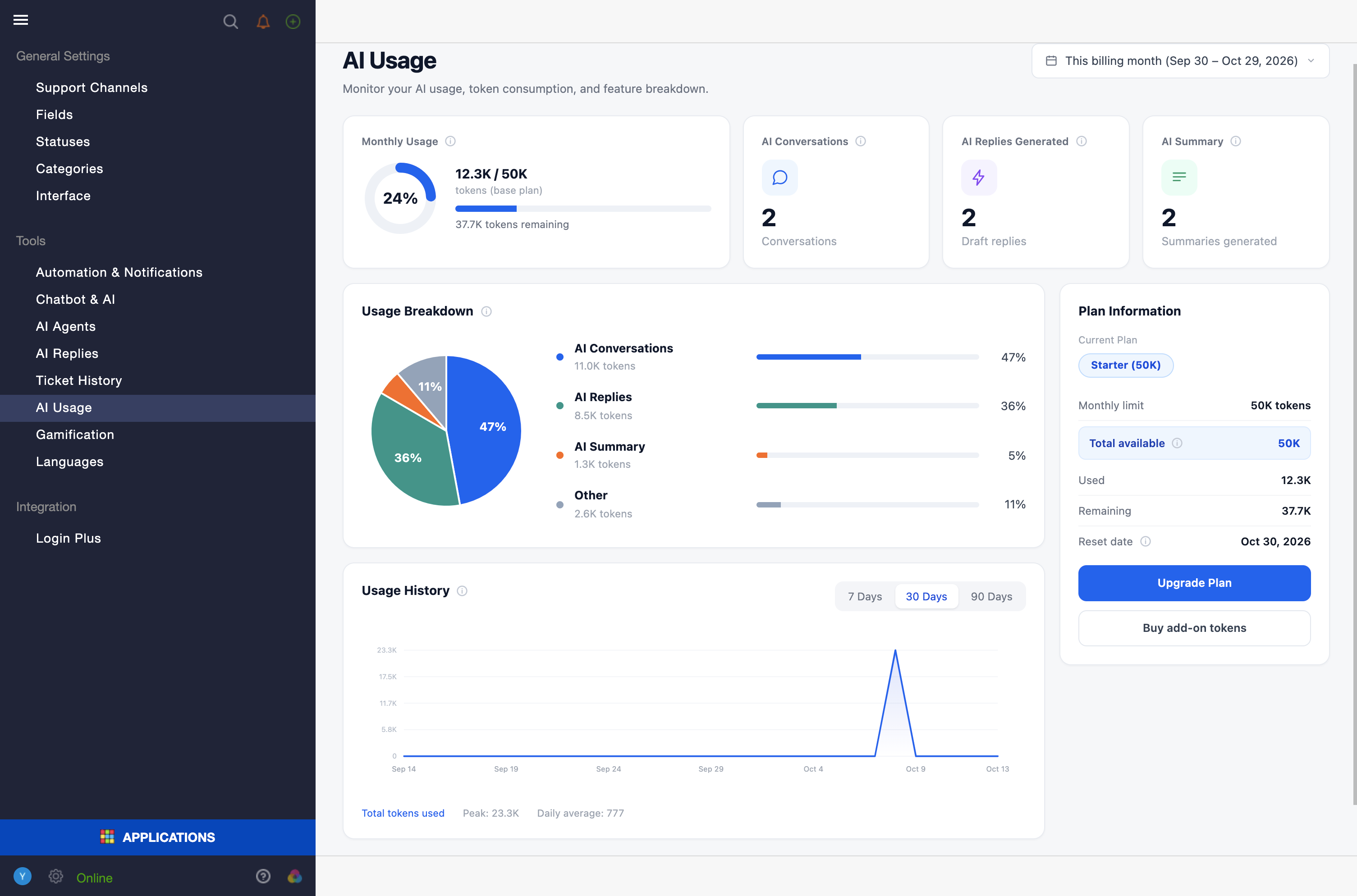
The main card displays your total token consumption for the current billing period, including:
- Usage progress: A progress ring showing the percentage of your monthly token limit used.
- Tokens used: The number of tokens consumed compared with your total available allowance.
- Tokens remaining: The number of tokens still available for the current period.
Note: If you've purchased token add-ons, your total available allowance includes both your plan's token allowance and your add-on tokens.
Usage Breakdown
The Usage Breakdown chart shows how token consumption is distributed across AI features, such as AI Chatbot conversations, AI Replies, AI Ticket History, and other AI activities.
Use this chart to identify which features consume the most tokens and better understand your account's AI usage.
Viewing Usage for Different Periods
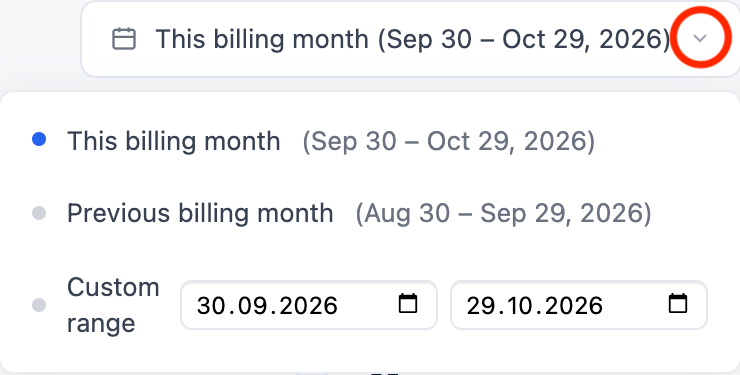
By default, the AI Usage page displays data for the current billing month. You can also select:
- Previous billing month: Review and compare usage from the previous month.
- Custom date range: Analyze token consumption over a specific period.
Note: When you select a custom date range, usage figures reflect the selected period, but plan limits continue to show those for the current billing month.
Usage History
The Usage History chart displays token consumption over time, broken down by day. Choose a period of 7, 30, or 90 days to identify usage trends and changes.
Plan Information
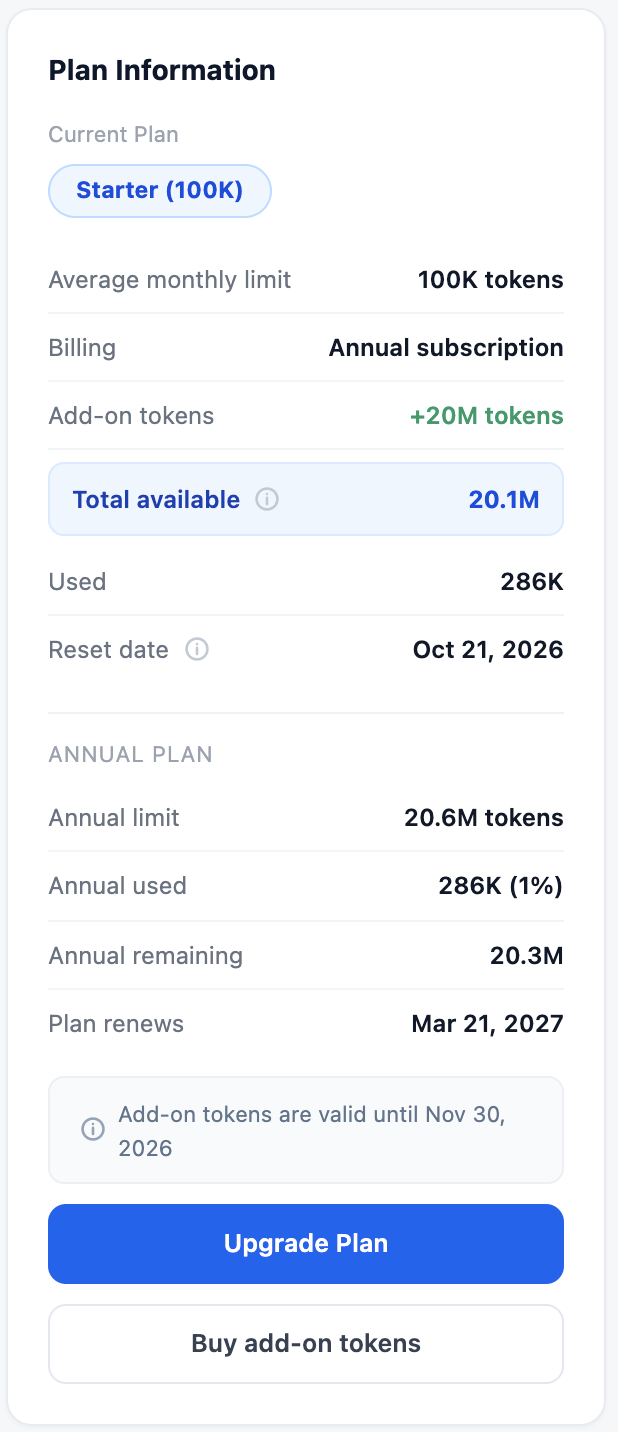
The Plan Information section displays your current AI plan and token allowance, including:
- Current plan: The name of your active AI plan.
- Monthly token limit: The token allowance included in your plan.
- Add-on tokens: Additional tokens purchased separately, if any.
- Total available tokens: Your plan allowance plus any add-on tokens.
- Tokens used and remaining: Your consumption and remaining balance.
- Next reset date: The date your monthly token allowance resets.
What Happens When You Reach Your Token Limit?
When your available token allowance is exhausted, AI features are affected as follows:
- AI Ticket History: Background analysis pauses and resumes at the next billing reset.
- AI Article Creation: The button becomes disabled in the ticket view.
- AI Summaries: The Summary button becomes disabled.
- AI Replies: The AI Reply button becomes disabled.
- AI Chatbot: The chatbot switches to rule-based mode and stops generating AI-powered responses. The scenario skips the AI step and continues without it.
AI features resume automatically when your token allowance resets at the start of the next billing cycle. You can also restore access sooner by purchasing token add-ons or upgrading your plan.
Updating Your Plan or Purchasing Token Add-ons
To request a plan change or purchase additional tokens:
- Click Update Plan or Purchase Token Add-ons.
- Wait for the confirmation message: Your request has been received.
Important: Submitting a request does not automatically change your plan or add tokens to your account. Our Support team will process your request during business hours.
If your token limit is approaching, we recommend contacting Support in advance to help avoid interruptions to AI services for your customers and agents.