


Features
-
AI Ticket History
Automatically turns your closed support tickets into knowledge base improvements. The AI finds recurring topics and suggests new articles to create or existing ones to update, ready for your review.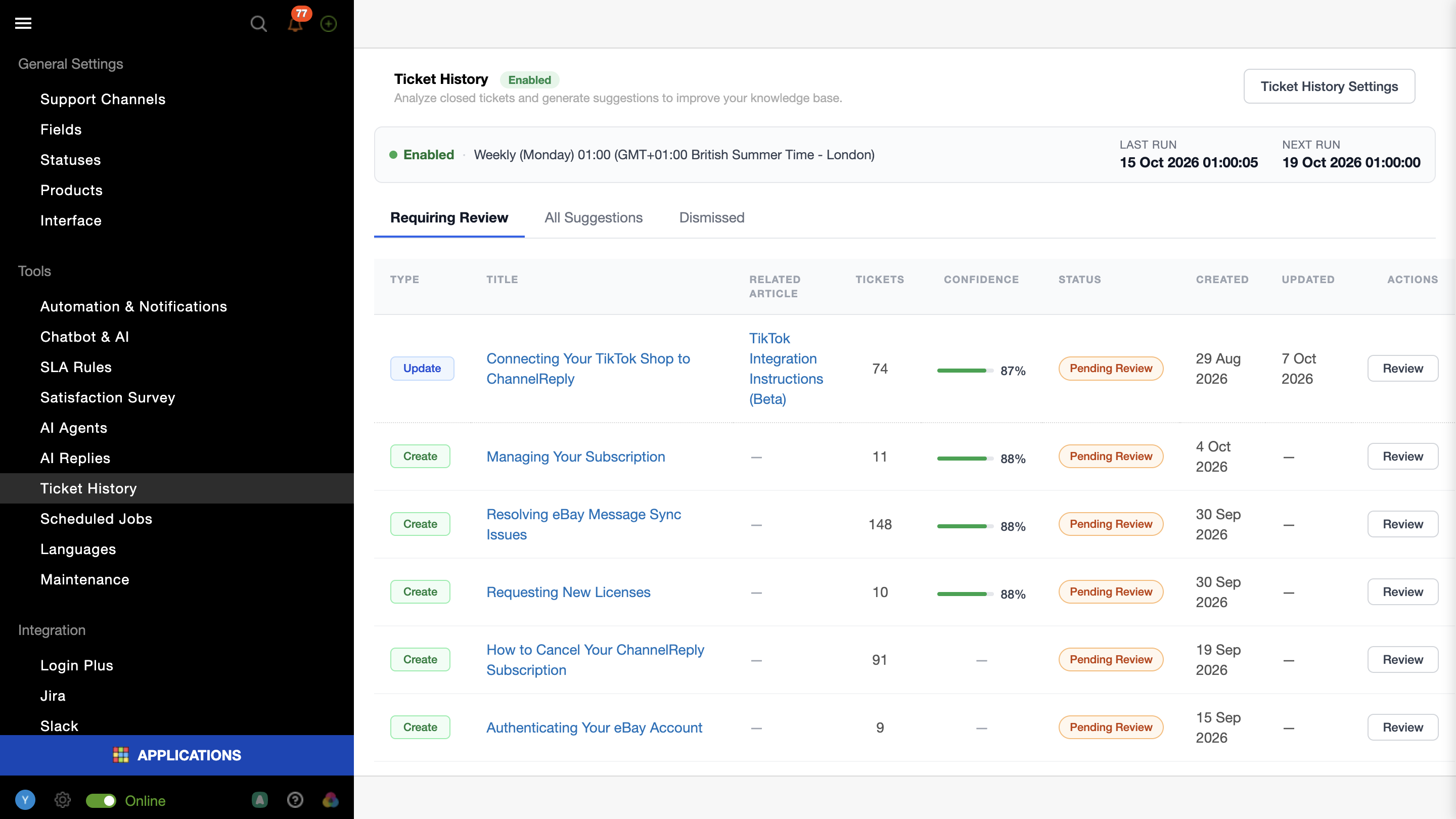
- Scheduled Analysis
Analysis runs daily, weekly, or monthly, with a Processing Schedule block on the main page. - Review with Confidence
Preview suggested changes with a change counter and navigation between edits, and check the source tickets and confidence score before approving.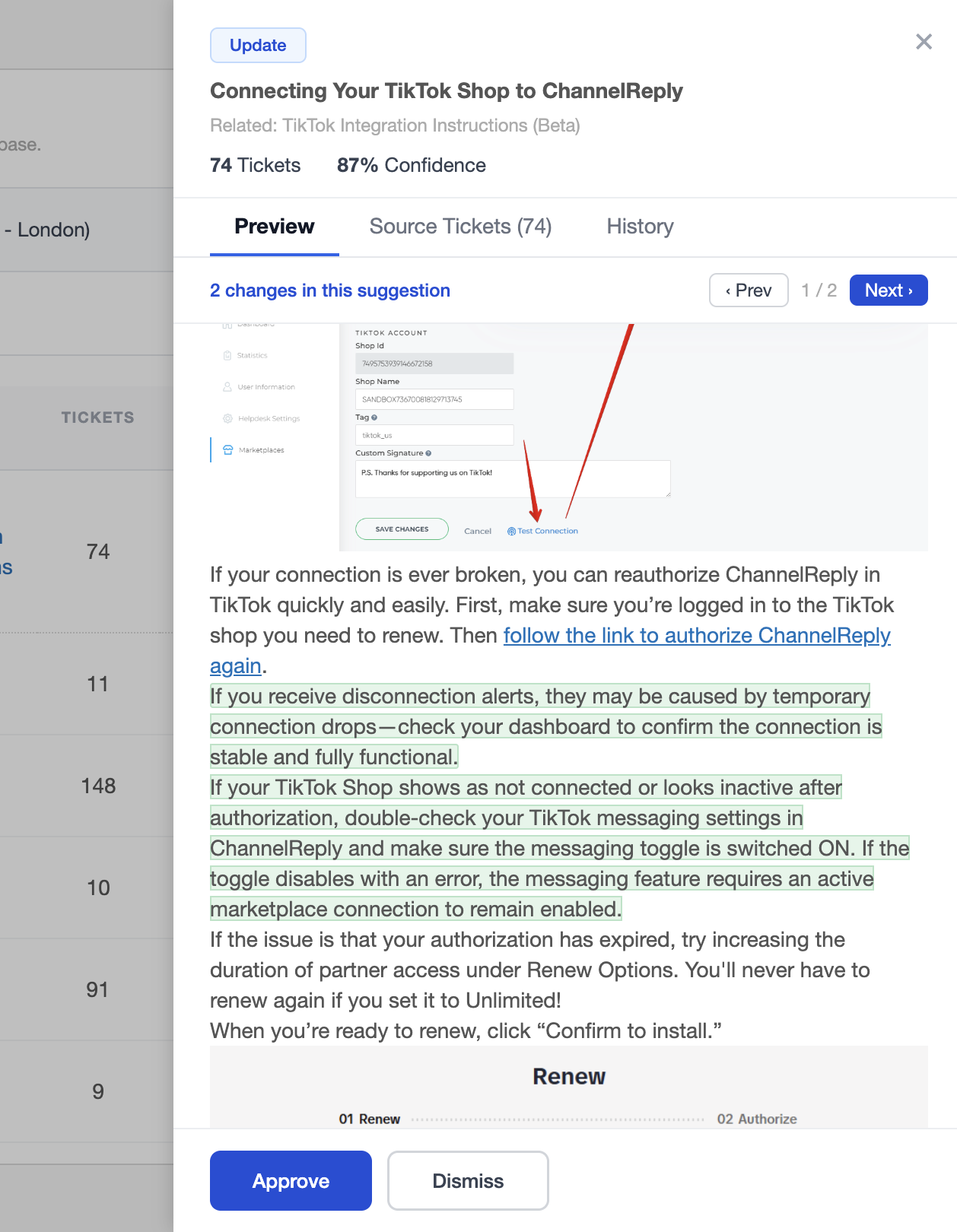
- Clear Review Trail
See who approved or dismissed each suggestion and when, with a direct link to the created article.
- Scheduled Analysis
-
AI Usage
A new page where admins can track token consumption, see a breakdown by feature, and manage their AI plan.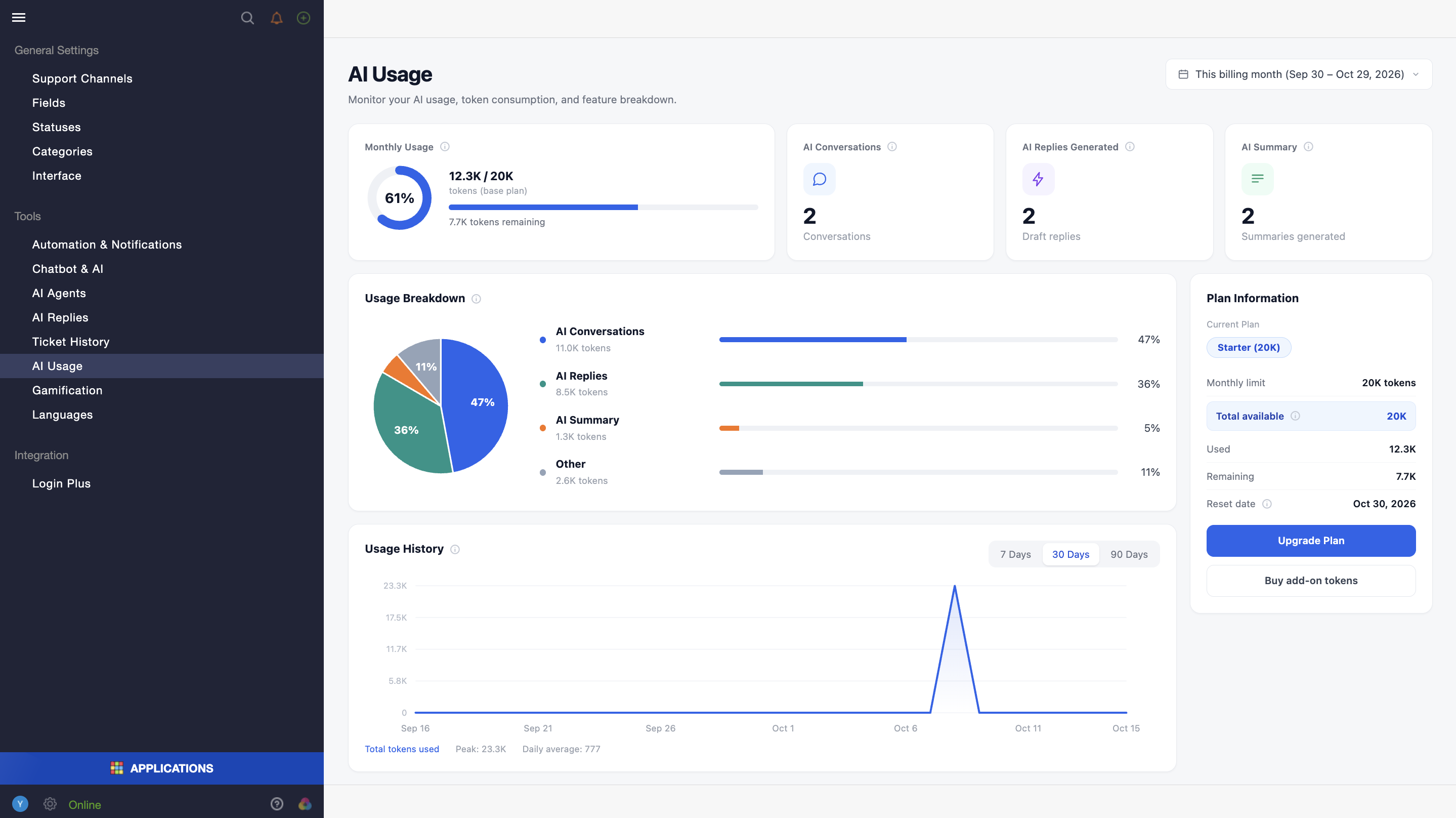
- Usage Overview
Monitor monthly consumption against your limit, see which AI features use the most tokens, and review day-by-day history for 7, 30, or 90 days. - Plan and Add-ons
View your current plan, remaining tokens, and all active add-ons with their expiration dates. - Easy Upgrades
Clicking an upgrade or add-on link automatically creates a request ticket for our support team.
- Usage Overview
-
AI Plans & Token Limits
All accounts now include 1M tokens per month for free, enough to try all AI features.
If you need more, paid plans are available starting at $49/month. Contact our support team to upgrade or if you have any questions.- Free Plan for Every Account
Every account now starts with 1M free tokens per month. - Token Limit Handling
When the monthly limit is reached, AI features pause and resume at the next reset or right after an upgrade. The AI Chatbot switches to rule-based mode in the meantime. - Automatic Recalculation
Available tokens are recalculated whenever the plan changes or an add-on is purchased.
- Free Plan for Every Account
Improvements
- Search Keyword Highlighting in Ticket Editor
Search keywords are now highlighted in Knowledge Base articles, Macros, and Canned Responses. - Clearer Analytics Permissions
The Manage Views permission for analytics has been renamed to Manage Analytics to avoid confusion with the existing Manage Views permission. - Offline Assignment Dialog Remembers Your Choice
When an agent goes offline, the dialog for handling their tickets now defaults to the last selected option instead of always "No". - Azure DevOps Integration Improvements
The Azure DevOps URL is now a clickable column in Inbox and is included in Excel exports.
Bugs
- Fixed an issue where a bounce for one recipient marked the whole email as failed.
- Fixed the Analytics tag filter not matching tags with capital letters.
- Fixed an incorrect timezone being used in analytics reports.
- Fixed new chats not appearing in My Assignments.
- Fixed a network error when banning a spam user and bulk deleting messages.
- Fixed a network error and wrong entries when replying in Telegram chats.
- Fixed a 401 error in Chrome when adding agents.
- Fixed @-mentions being displayed as "@@-mention".
- Fixed the trigger edit page crashing when a trigger stores a full HTML email template.
- Fixed inconsistent search results for merged objects between the Agent and Customer interfaces.
- Fixed canned response attachments being dropped when an agent adds further attachments.
- Fixed the AI Text Enhancement menu being cut off in chats.